
Project-Based Assessments
Design real-world projects and skills-based assessments that require application, collaboration, and authentic deliverables.
Join our Facebook community. Join our Facebook community for back-to-school ideas and educator support. Join now
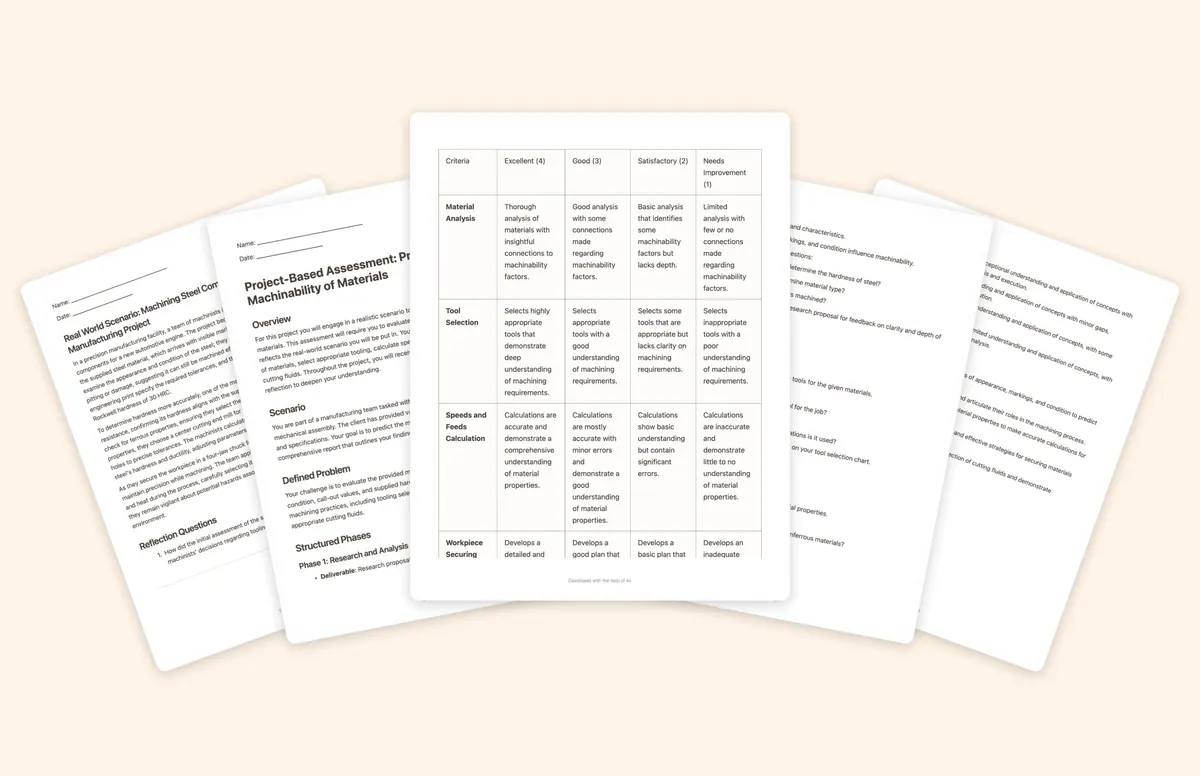
Design real-world projects and skills-based assessments that require application, collaboration, and authentic deliverables.
Place students in professional situations and prompt evidence-based decision-making using realistic constraints.
Build criterion-based rubrics that clarify expectations for students and provide consistent evaluation for instructors.
Generate technical writing tasks, client proposal prompts, and professional communication activities.
Guide students through inquiry-based assignments and portfolio structures that document growth over time.

Example use case coming soon. This section is intentionally a placeholder until the pathway-specific CTE scenario is finalized.

The Learning Objective + Success Criteria tool helps teachers define clear, measurable goals for student learning while outlining concrete steps for mastery. This tool follows best practices in instructional design by ensuring students understand what they are expected to learn, how they will achieve it, and how their progress will be assessed.

The Draft Email tool helps educators and administrators organize and write clear, professional messages. By structuring key ideas logically and concisely, this tool supports purpose-driven communication that is easy for families, students, or colleagues to read and act on.
The Portfolio Assignment Outline tool generates a comprehensive, standards-aligned portfolio framework that guides students through the process of documenting, demonstrating, and reflecting on their learning journey. This multifaceted assessment approach moves beyond traditional testing to capture authentic learning evidence while developing essential metacognitive skills.
The Project-Based Assessment (PBA) Planner structures rigorous, real-world assessments that challenge students to apply knowledge, think critically, and develop meaningful solutions. These projects engage learners in authentic, interdisciplinary challenges, fostering collaboration, creativity, and self-directed inquiry while aligning with core learning objectives.
The Research Project tool designs comprehensive, inquiry-driven research assignments that guide students through critical source evaluation, structured research, and effective communication of findings. This tool ensures students engage deeply with a topic, develop information literacy skills, and present their knowledge through a clear, well-supported presentation.

The Scenario Assignment tool generates authentic, context-rich problem scenarios that bridge classroom learning with real-world applications. By immersing students in detailed situational narratives followed by thought-provoking reflection questions, this tool transforms abstract concepts into concrete, relevant challenges that develop critical thinking and analytical skills.

The Informative Text + Questions tool generates a comprehensive, structured, and academically rigorous educational text designed to support both independent learning and guided instruction. Written in a style similar to a textbook chapter or high-quality encyclopedia entry, the text ensures depth, clarity, and accessibility.
Use this tool to construct a clear, structured outline of key points for any topic. Generate major headings identified by Roman numerals, then break each down with letters for sub-points, and finally add bullet points or numbered items to indicate specific details or examples. Perfect for student notes or essay planning, it encourages logical progression and provides a simple framework to attach declarative knowledge.
Start with an objective, a topic, or a source. Leave with classroom-ready materials you can teach from.